
Encrypted PII vault for AI agents, on your Mac
Fill in real documents with AI. Never share your PII.
Blankey keeps your personal data in an encrypted vault on your Mac. Claude designs the template and asks for the fill; you approve the values; Claude never sees them.
Free and open source (MIT). macOS 13+ on Apple Silicon.
How it works
Claude does the paperwork. You keep the data.
Connect Claude
Add Blankey's MCP server to Claude Code, Claude Desktop or Codex. It runs inside the app on
127.0.0.1and only accepts local connections.Claude builds the template
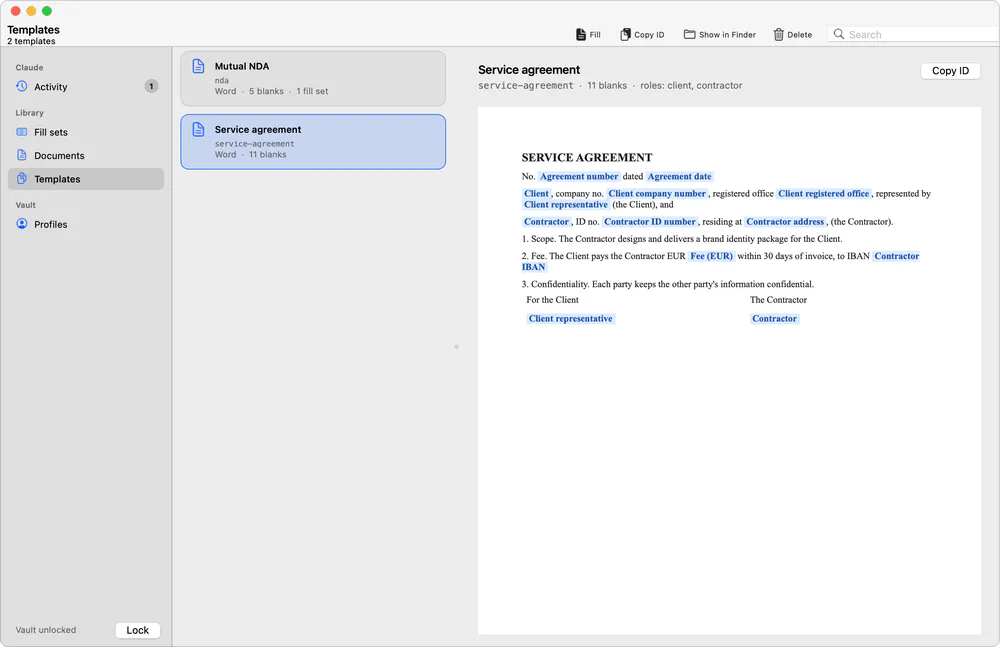
Hand Claude a real document. It maps PDF form fields, places fields on flat PDFs, turns the filled spans of a .docx into blanks, or writes Typst, then tests it with invented example data.
You approve the fill
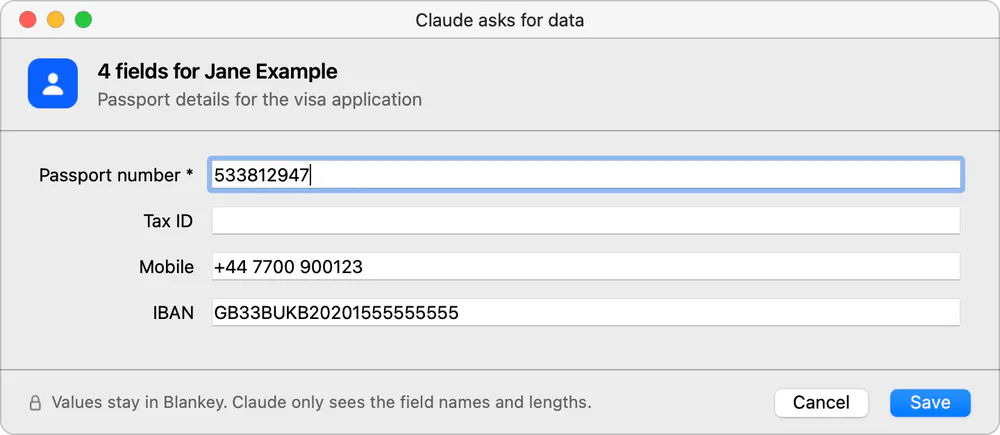
Claude asks Blankey to fill the template. You see every blank with its source and value, and approve. The real document is generated on your Mac; Claude gets a document id.
The boundary
Exactly what crosses the line
Claude works with the shape of your data, never its contents.
What Claude sees
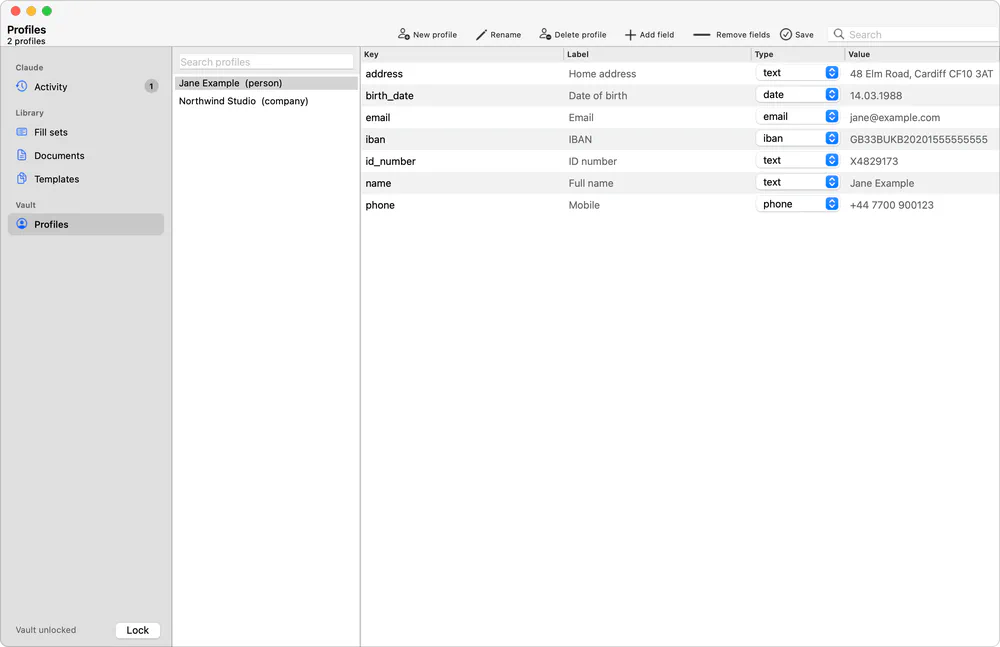
- Field keys and labels
employee.name"Full name" - Types and value lengths
text, 14 characters - Which source each blank uses
vault: employee.address.cityor a literal Claude proposed - Fit checksWhether a value would overflow its box, without the value
- Templates and example rendersBindings, plus previews filled with invented data
- Result ids
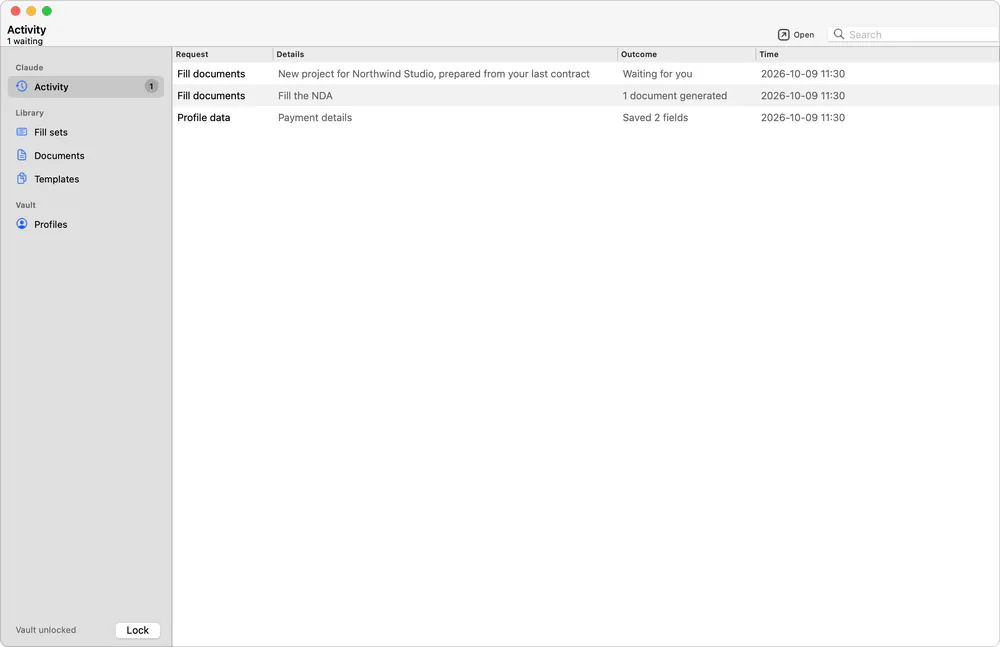
fill_set 12,document 48
What stays on your Mac
- The valuesNames, ID numbers, addresses, IBANs, dates of birth
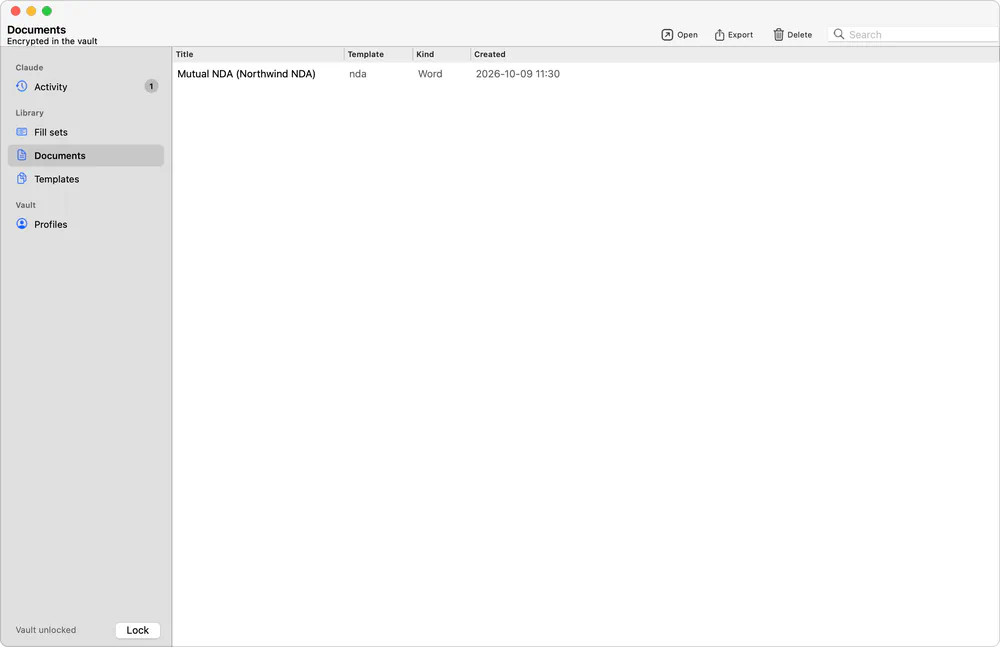
- Filled documentsGenerated locally, stored encrypted, exported only by you
- Your keysMaster password, data key and recovery key
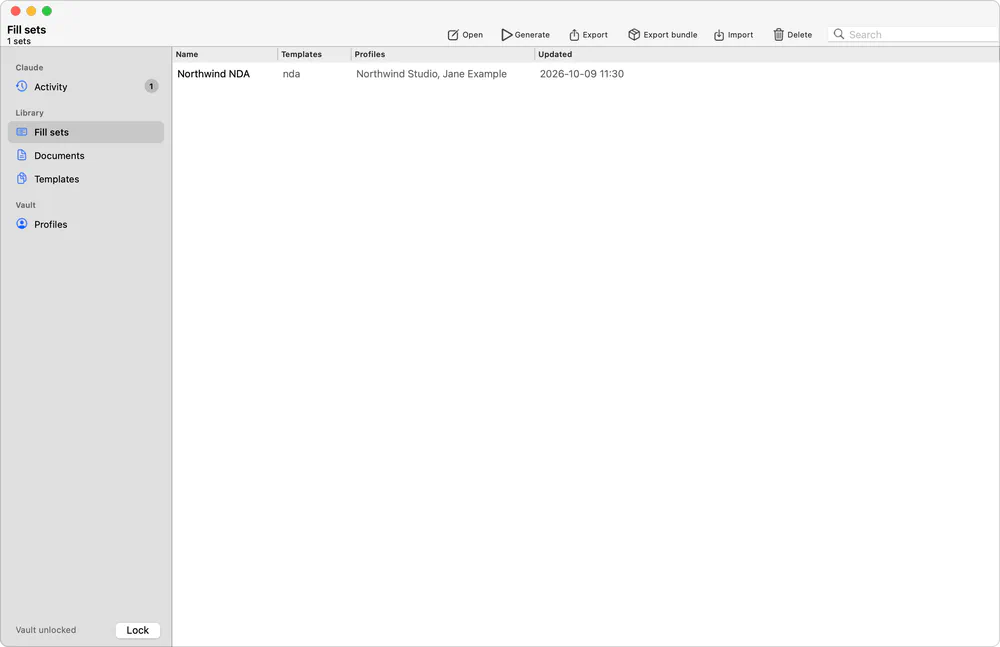
- Fill setsYour saved choices, encrypted in the vault
- Request payloadsSealed with X25519 + AES-GCM, readable only when unlocked
Inside Blankey
You see everything. Claude sees the outline.
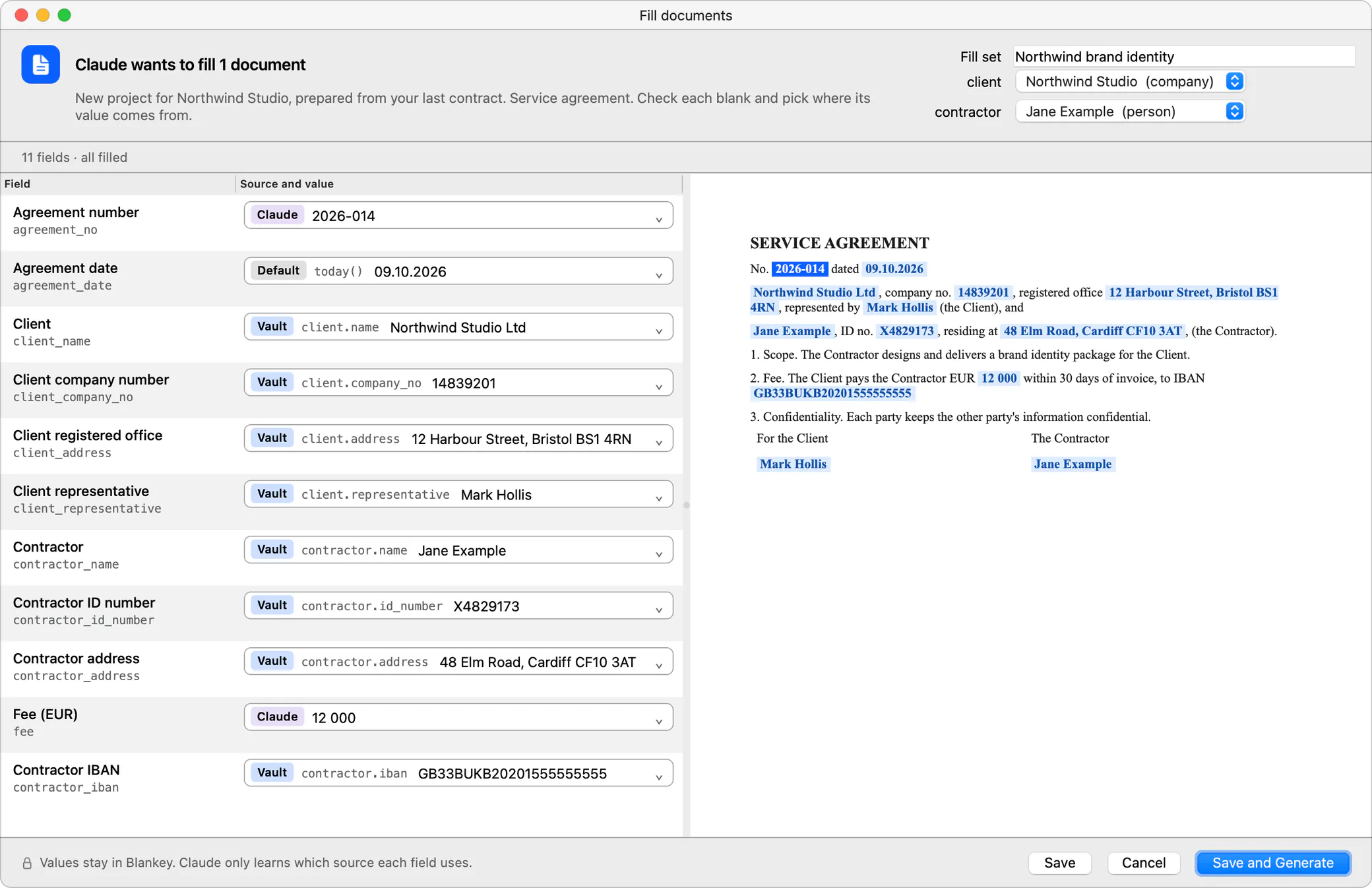
More screenshots 6
Works with any document
Bring the paperwork you already have
PDF forms
Claude maps every AcroForm field to your data. Text is drawn with bundled Noto Sans (Latin, Cyrillic, Greek) and flattened; checkboxes and radios use their native states.
Flat and exported PDFs
No form fields? Claude reads the page layout, places fields next to the printed labels and checks its work on outlined previews.
Word contracts
Give Claude a filled .docx. Names, ids, amounts and dates become blanks, with the same names across related documents so one fill covers them all.
Typst
For documents that do not exist yet, Claude writes a Typst template from scratch and renders it with your approved values.
Connect your agent
One command, then ask Claude
Blankey must be running. Every connect option is also in the menu bar under Connect MCP.
Claude Code
claude mcp add --transport http blankey http://127.0.0.1:8765/mcpCodex
codex mcp add blankey --url http://127.0.0.1:8765/mcpClaude Desktop
Menu barConnect MCPConfigure Claude Desktop
Then restart Claude Desktop. Blankey adds a local bridge to its config and starts the app when needed.
Other MCP clients
http://127.0.0.1:8765/mcpStreamable HTTP, local connections only.
Security model
How the PII boundary works
Short and honest, including the parts that are metadata.
- Encrypted per field. Profile values are encrypted with AES-256-GCM. A random data key is wrapped by your master password (Argon2id), optionally by the macOS keychain or Touch ID, and by a one-time recovery key.
- Metadata is plaintext. Field keys, labels, types and value lengths are not encrypted. That is all the MCP server can read.
- Real documents render in the app. MCP tools only render templates with example data. Real documents are generated after you approve, stored encrypted, and only their metadata goes back to Claude.
- You are in the loop. Fill and data requests open a dialog in Blankey. Claude waits until you save, approve or cancel.
- Sealed requests. Request payloads and results are sealed to a request key pair (X25519 + AES-GCM): stored while the vault is locked, readable only after unlocking.
- Local only. The MCP server listens on
127.0.0.1:8765without authentication, rejects foreign Host and Origin headers (DNS rebinding), and no tool returns personal data. - Tested, not promised. A test pushes sentinel values through every MCP tool and asserts they never come back.
- Your call on literals. Claude may propose non-personal values such as amounts or dates. It sees those because it wrote them; you approve or replace each one.
Download Blankey
Free, open source, MIT licensed. Runs offline.
Download for Mac- Apple Silicon (M1 or newer)
- macOS 13 Ventura or newer
First launch
Blankey is ad-hoc signed, not notarized, so macOS asks once.
- Open the DMG and drag Blankey to Applications.
- Open Blankey. macOS says it cannot verify the developer.
- Open System Settings > Privacy & Security and click Open Anyway.
- Blankey appears in the menu bar. Create your vault: master password plus a recovery key.
Or clear the quarantine flag in Terminal:
xattr -dr com.apple.quarantine /Applications/Blankey.appFAQ
Questions
Does Claude ever see my data?
No. No MCP tool returns values from the vault, and real documents are generated inside Blankey after you approve. A test pushes sentinel values through every tool and checks they never come back. The only values Claude knows are the non-personal ones it proposed itself, like an amount or a date.
What does Claude see?
Metadata: profile and field keys, labels, types and value lengths, which source each blank uses, whether a value fits its box, and the ids of fill sets and documents. Enough to build and check a template, not enough to read anything.
Does it work offline?
Yes. Blankey never connects to the internet: no account, no telemetry, no update checks. Your AI client needs its own connection, but it only talks to Blankey over 127.0.0.1.
Which AI clients work with it?
Claude Code, Claude Desktop and Codex have one-step setup. Any client that speaks MCP over streamable HTTP can connect to http://127.0.0.1:8765/mcp.
Windows or Linux?
The Mac build is Apple Silicon only. On Linux, Blankey runs from source with a StatusNotifier tray (on GNOME, install the AppIndicator extension). There is no Windows build.
Is it free?
Yes. Blankey is open source under the MIT License.